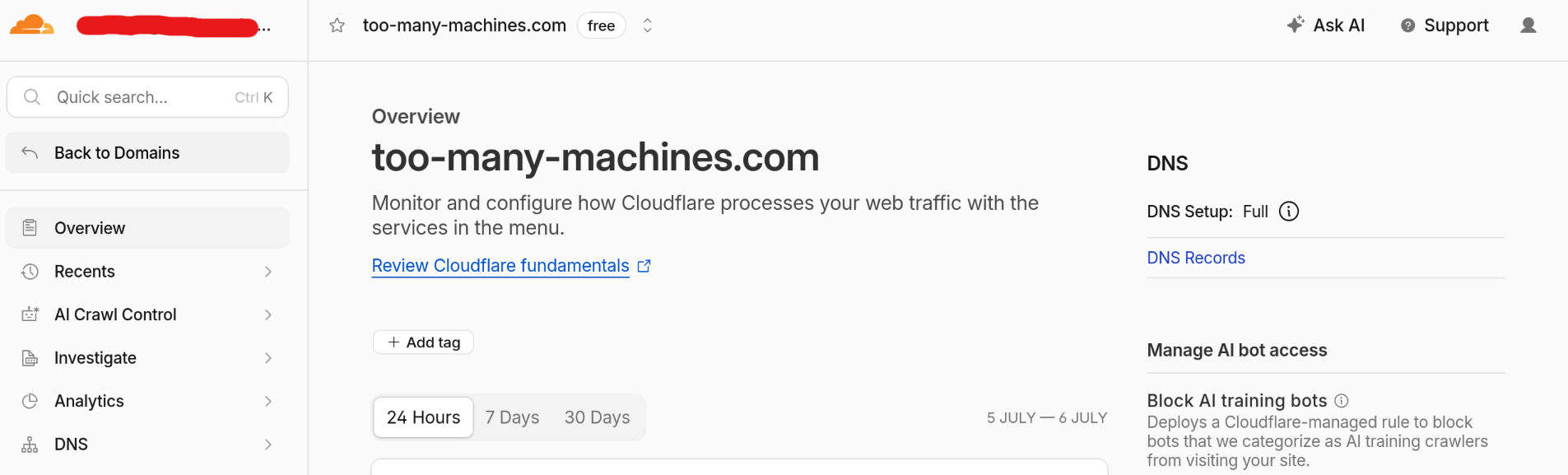
It’s not exactly self hosting. It’s very much against the spirit of self hosting. But I put Cloudflare in front of my external services: for one important reason and several small conveniences.
The good thing is the free tier service is more than enough for amateurs experimenting with personal websites and apps. In fact, it’s enough for many commercial applications.
The main reason: fixing the IPv6 problem
My photo gallery lives on mikrus, which has no public IPv4 address - only IPv6. Cloudflare’s reverse proxy makes it easy to reach it from any standard, IPv4-only client. It might sound complicated, but it really took only a few minutes. Here are the steps:
- Register a Cloudflare account if you don’t have it yet.
- Login to Cloudflare control panel, choose “Add domain”.
- Next, login to the domain registrar (OVH in my case) and set the nameservers to those provided by Cloudflare. Note, I had problems with DNSSEC, can’t confirm it now but probably it would be easier to disable DNSSEC before the DNS change.
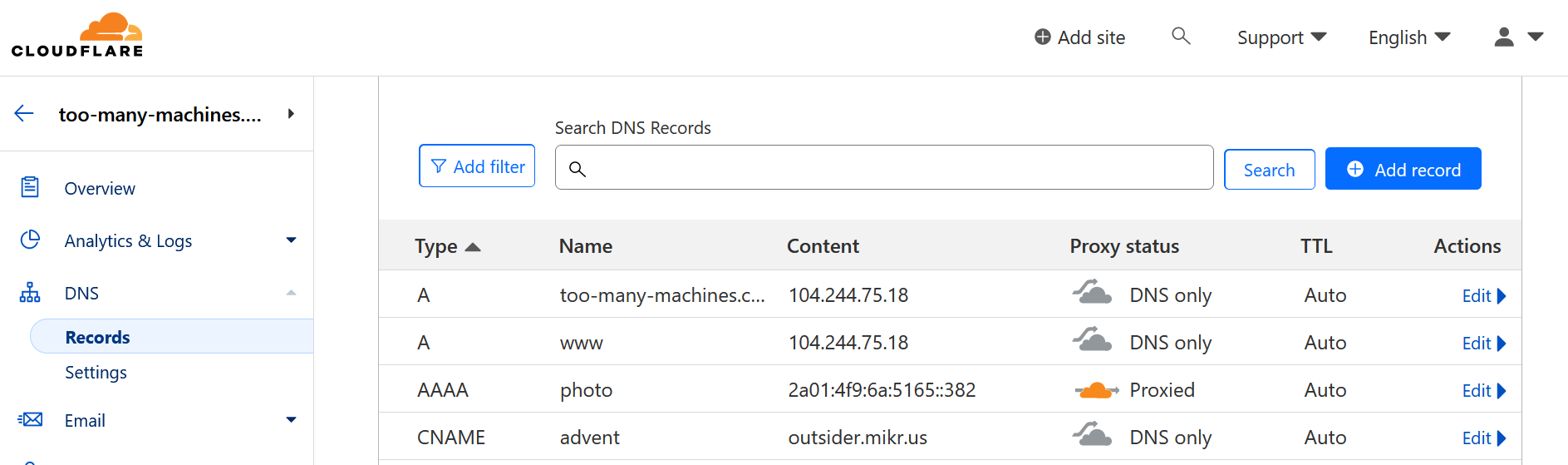
- Cloudflare will automatically fill some of the DNS zone, not everything though (zone transfer is disabled by default). In my case I had proper records for the main domain + www + MX, but it was missing subdomains (advent, selfhosting…) so I added them manually. Make sure proxy is disabled initially, the goal is to recreate the old configuration first - don’t introduce too many modifications at the same time.
DNS change might take some time to propagate (minutes, hours, depending on how you set the TTL). But if all went well, you won’t notice any downtime, since old servers provide exactly the same information as new servers. Now, if you’re sure the domain’s DNS is now served by Cloudflare (check with host -t NS your-domain-name), here comes the best part: I added “photos.too-many-machines.com” AAAA record with IPv6 address of my VPS and this time turned the proxy option on. The magic happens in the background:
- I only declared AAAA record, but Cloudflare added both AAAA and A (IPv6 and IPv4),
- and they don’t point to the address I provided, they point to one of Cloudflare servers,
- which will proxy the connection and connect to my VPS on IPv6 while serving clients on both protocols.
Nice things on top
Once I moved my domain to Cloudflare DNS, a few other things come along for free:
- TLS termination. Cloudflare gets you a certificate automatically and terminates HTTPS at the edge. I don’t need to run Certbot or renew anything on my own server for the domains behind the proxy.
- DNS management. The dashboard is simple, changes propagate fast, and it’s one place to manage records for every domain, regardless of which registrar I bought it from.
- Reverse proxy for multiple sites. I later enabled the proxy option for all other subdomains. Proxying works very well for static websites. My websites load faster and I use much less of Outsider’s bandwidth quota.
- DDoS protection. I doubt anyone is seriously targeting my personal blog. But these days, some bots (e.g. for training new LLMs) scan websites so aggressively that they could unintentionally DDoS my tiny VPS.
- Web Application Firewall. Irrelevant for static websites, useful if you want to run web applications. Cloudflare will inspect the traffic and stop known attack patterns.
Downsides
It’s not all upside, though:
- You’re relying on an external service. Have a way out in case Cloudflare goes out of business (unlikely) or terms of service change (a bit more likely). In my case, the photo gallery would be the only problem, everything else could be reverted in a few minutes.
- You’re trusting a third party with your traffic. TLS gets terminated at Cloudflare’s edge, which means Cloudflare can see your traffic in plaintext before it re-encrypts (or doesn’t) the connection to your origin. For a personal blog where all the content is supposed to be publicly available anyway, that’s not an issue. For a real app, it might be.
- One more outage point. If Cloudflare has a bad day, your site can go down even though your own server is perfectly healthy. Cloudflare is very reliable, but it had a famous outage in 2025.
- Occasional edge-case weirdness. Once traffic goes through a caching proxy instead of hitting your server directly, it could be harder to debug a problem with your app. Never happened to me, but it is a possibility.